
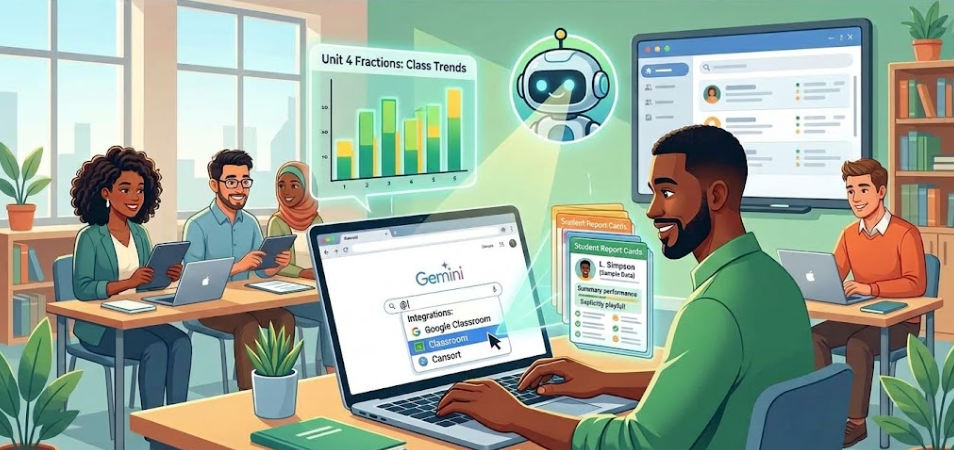
- Teachers with a Google for Education account can type the @ symbol in Gemini to instantly access and analyze their Google Classroom data.
- The tool identifies class-wide learning trends on recent assignments, allowing educators to efficiently adjust their lesson plans.
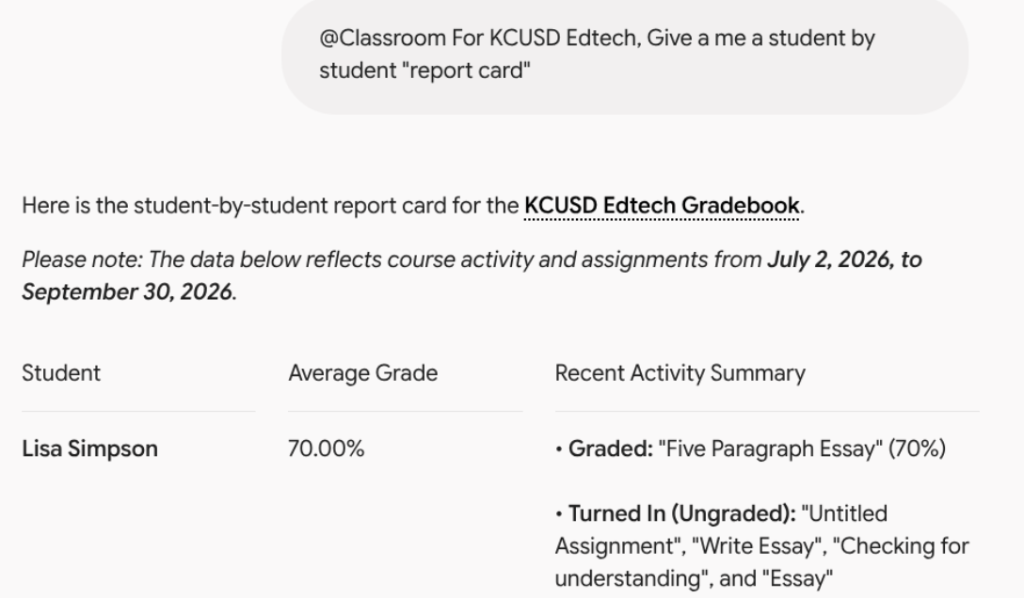
- Gemini can generate personalized report cards for each student to provide a clear performance snapshot for parent meetings or individual check-ins.
As an educator, you already know how valuable Google Classroom is for organizing assignments and collecting grades. However, finding the time to analyze all of that data can be a challenge. When you are managing dozens or even hundreds of students, trying to identify learning trends often feels like a daunting task. Fortunately, there is a faster way to gather insights from your classes using a tool you already have.
If you have a Google for Education account, you can use Gemini to quickly understand your classroom data. The process is incredibly simple. All you need to do is open Gemini, type the @ symbol, and select Classroom. This allows you to connect directly to your Google Classroom. Once connected, you can ask the system for trends, insights, and more about one specific class or all of your classes at the same time.
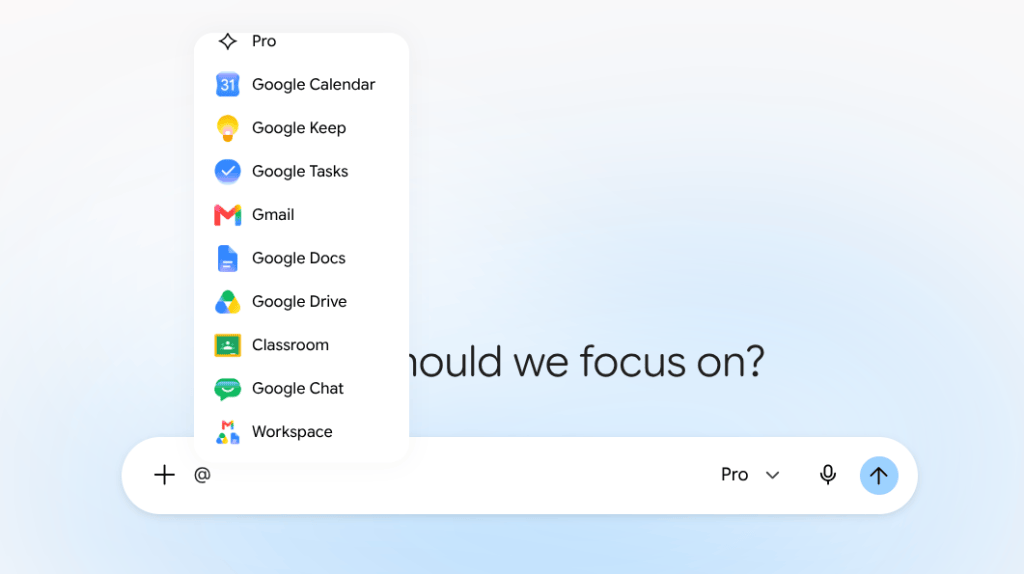
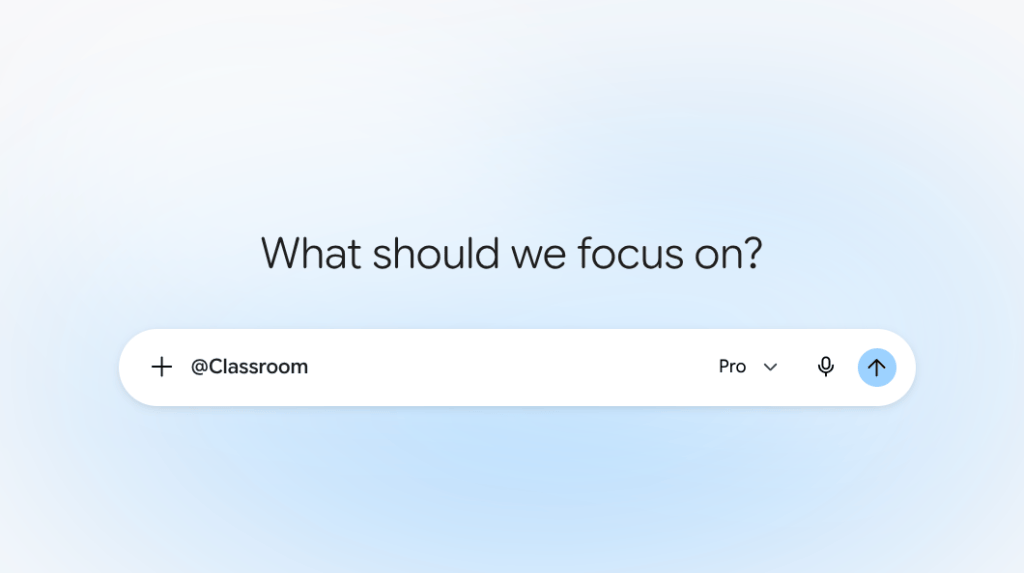
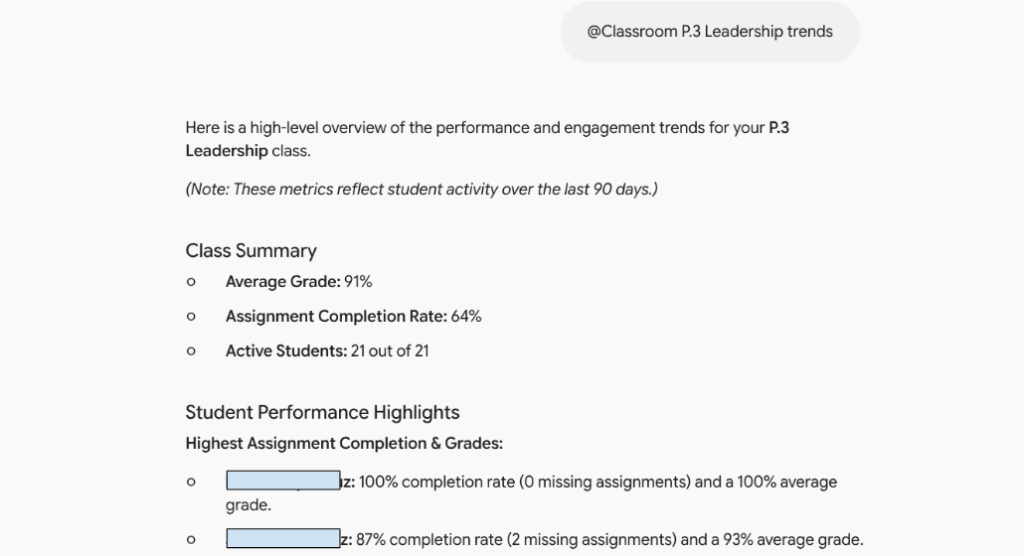
Imagine you just finished a unit and want to know how well the class grasped the concepts. Instead of clicking through individual grades, you can type the @ symbol , select Classroom, and ask Gemini to analyze the trends from the recent assignments. The system will gather the insights for you, showing you exactly where your students excelled and where they might need a quick review. This practical application allows you to adjust your lesson plans instantly, ensuring your students get the specific support they need before moving on to the next topic.
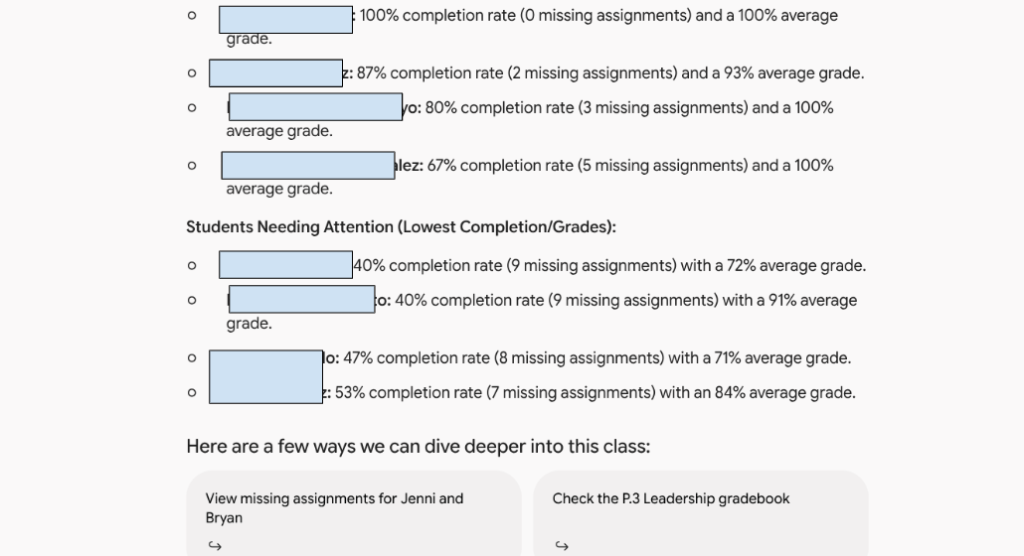
The capabilities go beyond overall class trends. You can even ask Gemini to generate an individual report card for each student. This feature pulls together a student’s performance data into one clear summary. Having a personalized report card ready is perfect for parent meetings or individual check-ins. It provides a helpful snapshot of student progress, allowing you to celebrate their individual successes and set meaningful goals for the future.
By using this simple integration, you can spend less time crunching numbers and more time doing what you do best: teaching. Technology should make your daily workflow easier, and this feature certainly delivers on that promise. The next time you log into your Google for Education account, try typing that @ symbol in Gemini and see how much valuable time you can save.
This blog post was drafted with the help of Google Gemini to help organize and flesh out my thoughts and ideas regarding how to utilize Gemini to help analyze trends and data in Google Classroom. I also used Gemini Notebook to generate a brief audio overview, perfect for those who want to listen and learn on the go.
If you enjoy this blog, you’ll love our new book, History Matters in an AI Era. Available now on Amazon, this book shares practical, research-based strategies for integrating technology into history lessons. You’ll learn how to use technology to increase student engagement and curiosity. Click here to get your copy today.

Leave a comment