
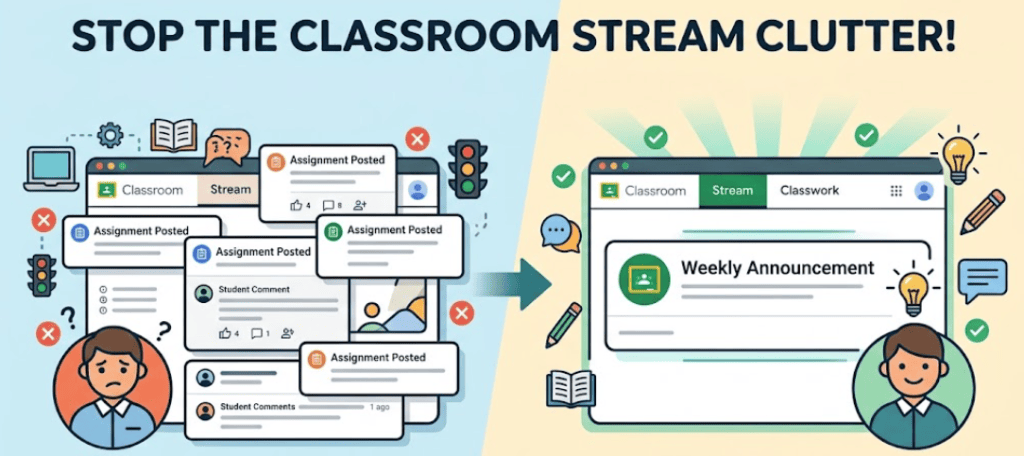
- Default Google Classroom settings mix assignment notifications with announcements and cause students to miss important updates.
- Teachers can improve student workflow by using the Stream exclusively for communication and the Classwork tab strictly for assignments.
- You can hide assignment posts in the Stream by navigating to settings and changing the Classwork on the stream option to hide notifications.
The Google Classroom Stream can sometimes feel like navigating bumper to bumper traffic. By default, this space lists every single assignment a teacher posts. However, it also serves as the main area for a teacher to send announcements to their students. With all of those assignment notifications flooding the stream, important announcements can easily get lost in the shuffle and be missed by students.
In my experience, separating these two functions creates a much smoother learning environment. Keeping the stream strictly for announcements and communication, while reserving the Classwork tab entirely for assignments, has proven very successful for maintaining an easy to understand workflow for students. They learn exactly where to look. They know announcements will only appear in the stream and their actual assignments will always be in the Classwork tab. This dedicated communication space allows you to leave class updates, important reminders, and motivational messages in the stream without them getting buried under daily classwork.
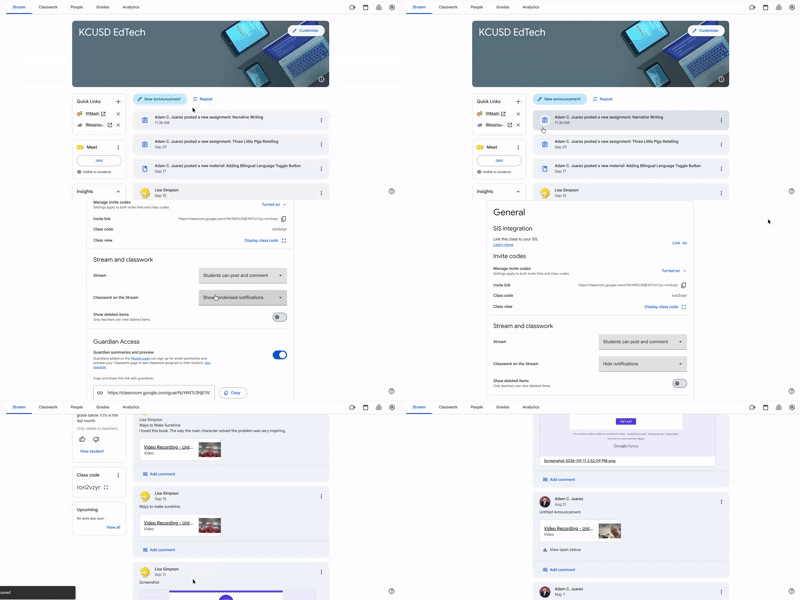
To facilitate this efficient workflow, navigate to the settings gear located at the top right of the Stream tab. Scroll down until you find the section titled Stream and classwork. Look for the setting named Classwork on the stream and click the drop down menu. If the setting currently says Show condensed notifications or Show attachments and details, simply change it to Hide notifications. Finally, click save in the top right corner of your screen. When you return to your Stream, you will enjoy a clean space containing only your announcements and no assignment posts.
This blog post was drafted with the help of Google Gemini to help organize and flesh out my thoughts and ideas regarding how to unclog the assignment/announcement traffic in the Google Classroom Stream. I also used Gemini Notebook to generate a brief audio overview, perfect for those who want to listen and learn on the go.
If you enjoy this blog, you’ll love our new book, History Matters in an AI Era. Available now on Amazon, this book shares practical, research-based strategies for integrating technology into history lessons. You’ll learn how to use technology to increase student engagement and curiosity. Click here to get your copy today.

Leave a comment