
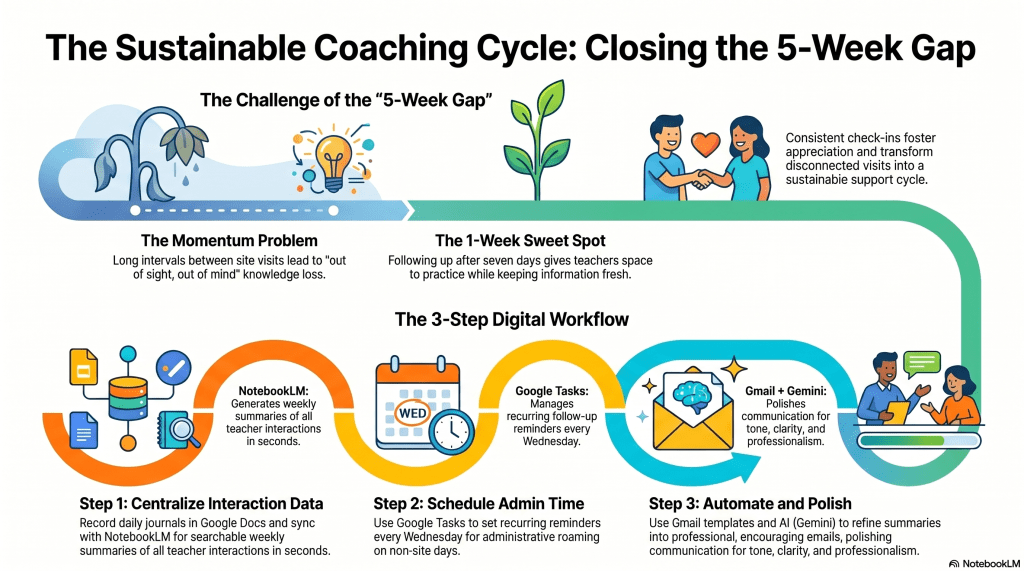
- Establish a consistent follow-up routine—roughly one week after coaching sessions—to help teachers retain information and maintain the momentum of technology integration.
- Utilize a streamlined digital workflow by logging interactions in Google Docs, using NotebookLM to generate interaction recaps, and employing Gmail templates to send timely, polished messages.
- Build stronger relationships by transforming infrequent site visits into a sustainable cycle of ongoing, actionable support that encourages educators to reach out for further help.
As an instructional technology coach, I work hard to support educators and introduce new technology strategies, yet maintaining that momentum is often difficult. Since I support a large number of teachers across roughly twenty schools, I am only able to visit each site every five weeks. This gap creates a significant problem for me. With so many demands on a teacher’s time and attention, the progress made during a coaching session can easily be lost. It becomes a classic case of out of sight, out of mind.
To bridge this gap, I developed a system to check in with educators about a week after our coaching session. This timeframe is intentional. It gives teachers enough space to process the new information and try it out in the classroom while keeping the experience fresh in their memory. The feedback I receive has been mainly positive. Teachers frequently mention that they appreciate the reminder because they would have otherwise forgotten small but important details. This simple act of consistency has helped me build much stronger relationships with the educators I support.
My workflow relies on a few key digital tools to keep everything organized. I maintain detailed notes in Google Docs for every coaching interaction, keeping a specific journal for each school that lists the date, the teacher, and a recap of our conversation. After each day, I sync these journals with Google’s NotebookLM. This allows me to keep all my coaching data centralized and easily searchable.
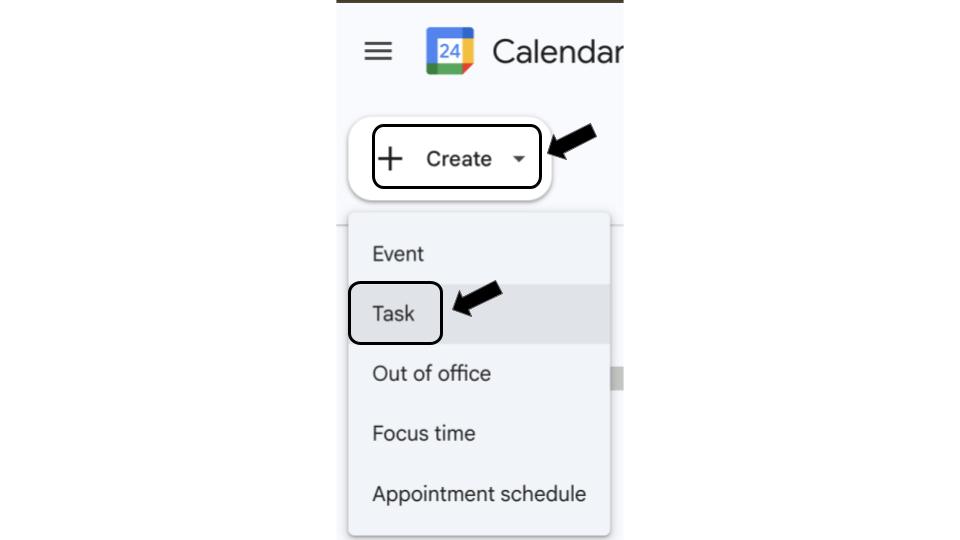
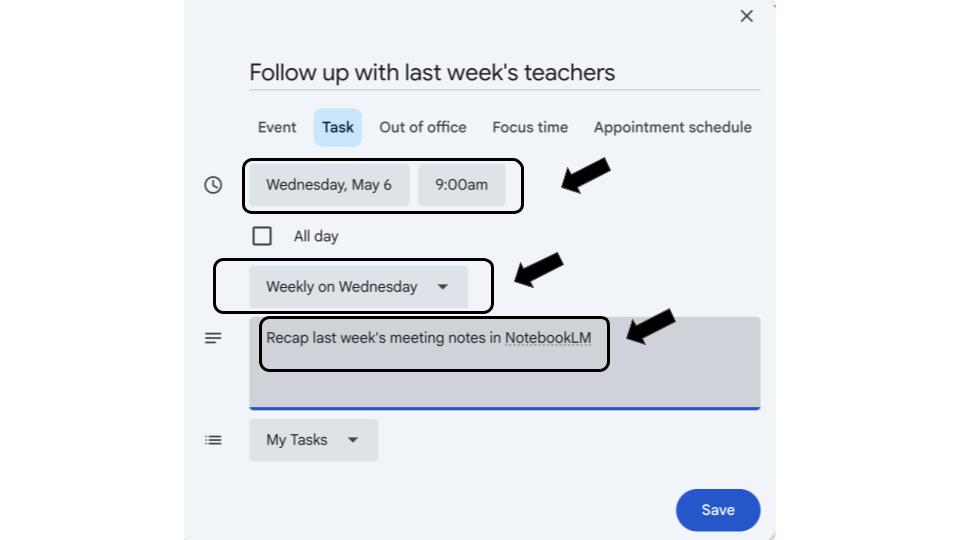
To manage the follow-up process, I use Google Tasks within my calendar. I set a recurring reminder every Wednesday. Since Wednesdays are when I am not at a specific site, this day is perfect for roaming or administrative tasks. During this time, I prompt my notebook in NotebookLM to provide a summary of the interactions from the previous week. It generates a recap of everyone I worked with in seconds.
Once I have the summary, I go to Gmail. I have created a template specifically for coaching follow-ups. The structure of the email stays the same, and I simply paste the relevant recap and add the dates and names. I also utilize my district-sponsored subscription to Gemini, which allows me to polish the message for clarity and tone. This functionality is located conveniently within Gmail. (If your subscription does not provide this function directly in Gmail, you can accomplish the same goal by opening Gemini in a separate tab and prompting it to polish your message.) This step ensures that my communication is professional and encouraging.
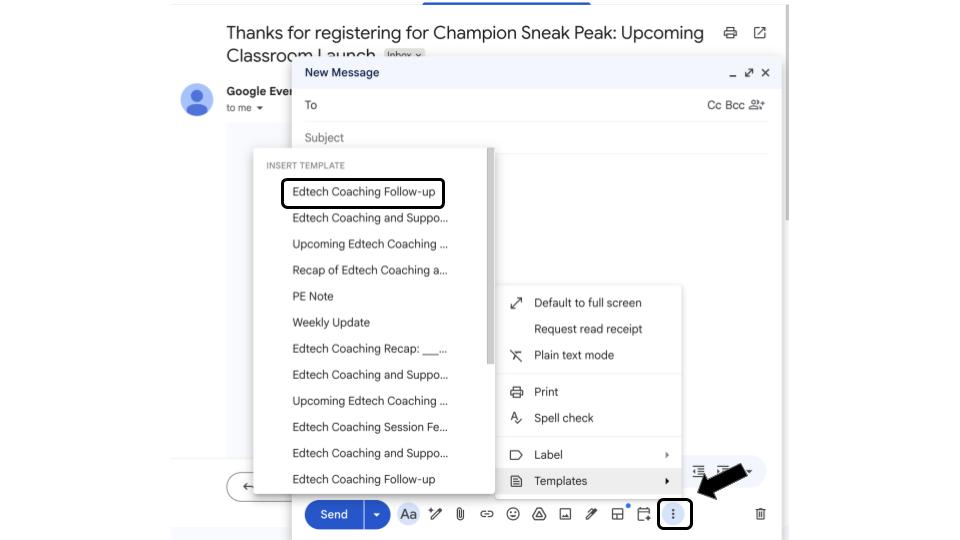
Find or create templates by clicking the three dots in bottom right corner 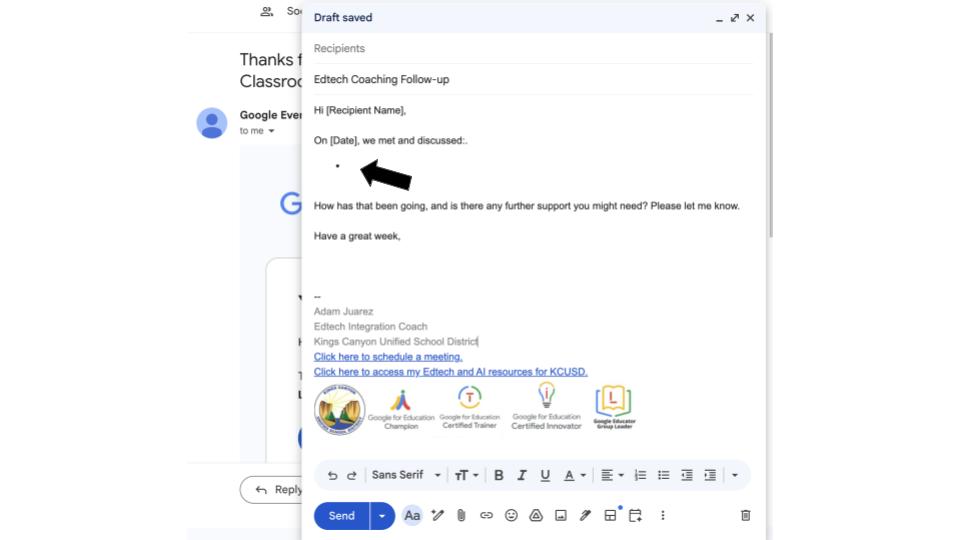
Find the placeholder in the template 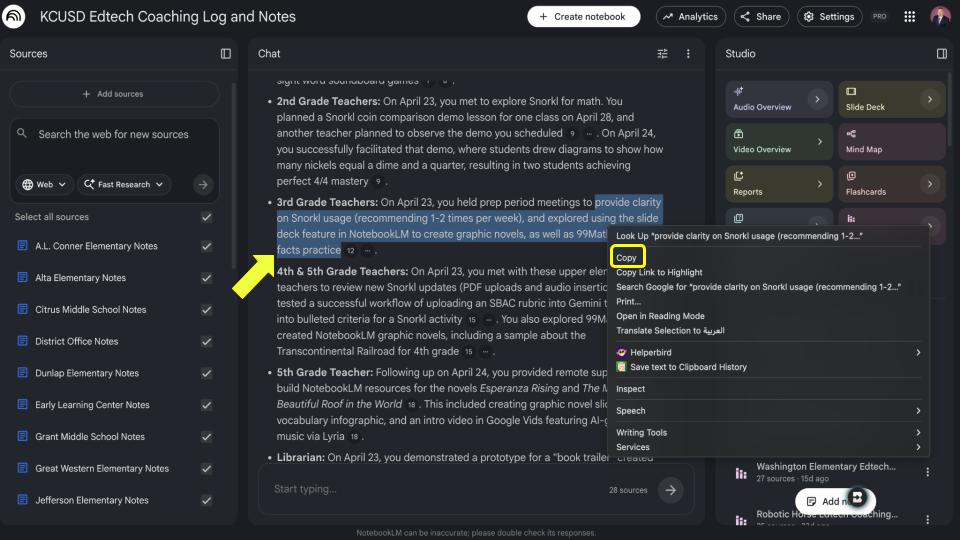
Copy the recap from NotebookLM and paste into the Gmail template 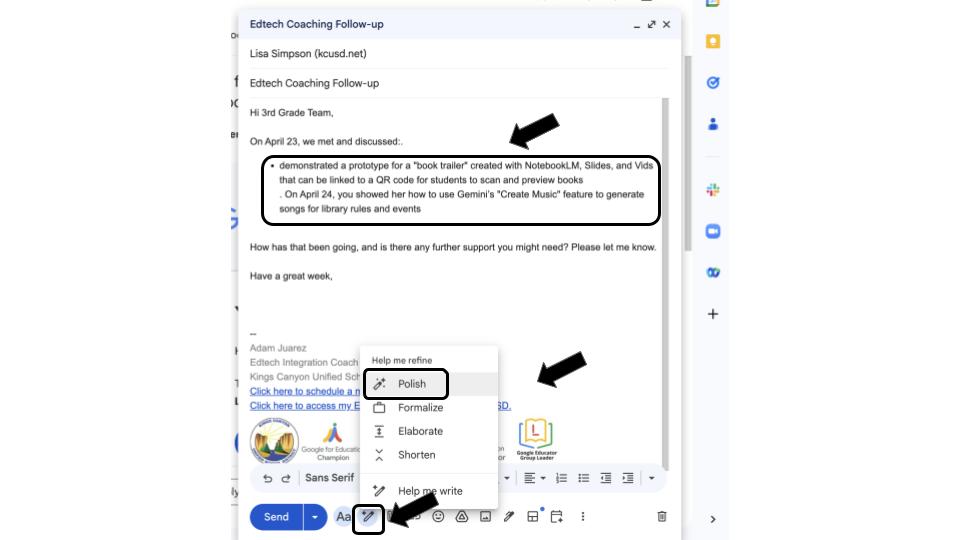
Click the Gemini button in Gmail to polish the message 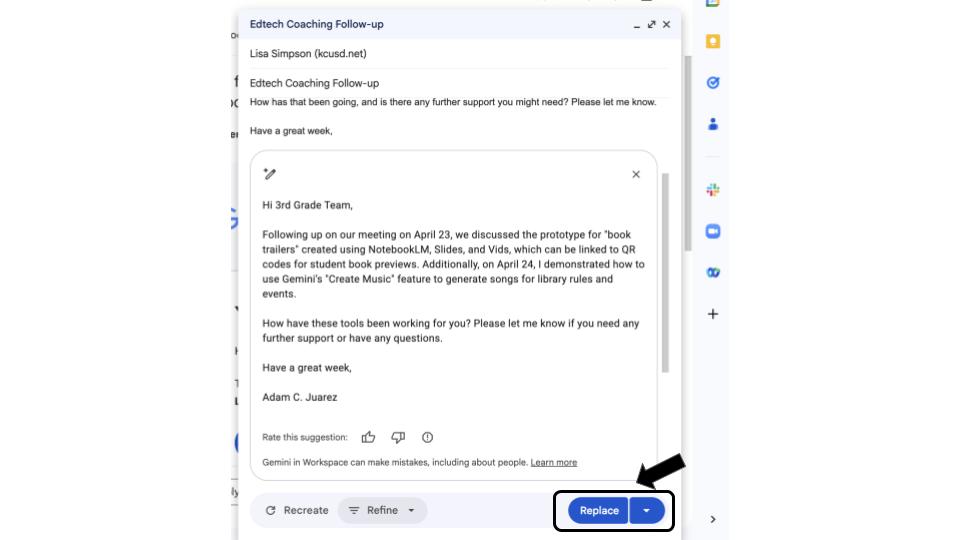
Review the polished message before Replacing 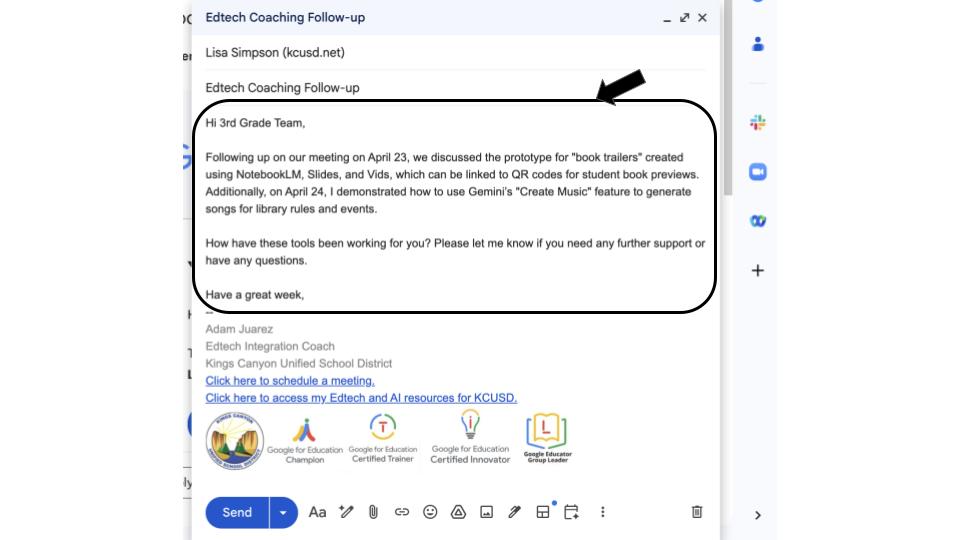
Your polished follow-up message to a teacher
By the end of the day, I usually receive several responses. Often, teachers express gratitude for the support or ask for further guidance. This system has transformed my coaching practice from a series of disconnected visits into a sustainable cycle of ongoing support. It keeps the learning active and ensures that the technology integration we discuss takes root in the classroom. By being intentional with my follow-up, I can make a lasting difference in the success and classroom experience of my teachers.
This blog post was drafted with the help of Google Gemini to help organize and flesh out my thoughts and ideas regarding how I use a variety of tech tools to manage my instructional coach workflow and follow up with educators. I also used NotebookLM to generate a brief audio overview, perfect for those who want to listen and learn on the go.
If you enjoy this blog, you’ll love our new book, History Matters in an AI Era. Available now on Amazon, this book shares practical, research-based strategies for integrating technology into history lessons. You’ll learn how to use technology to increase student engagement and curiosity. Click here to get your copy today.

Leave a comment