
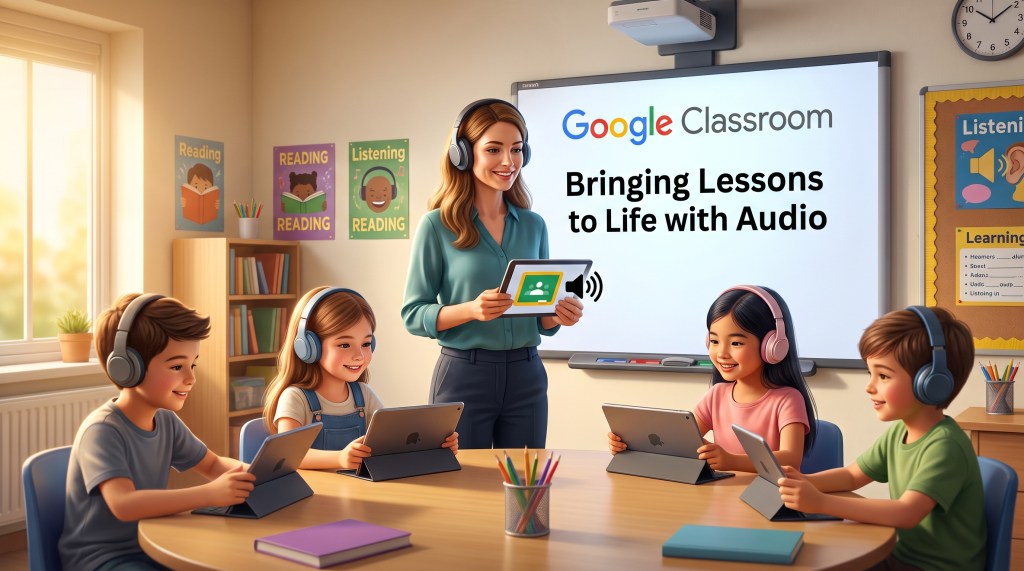
- Access Gemini from the left toolbar in Google Classroom to create a custom audio lesson by grade level and standard.
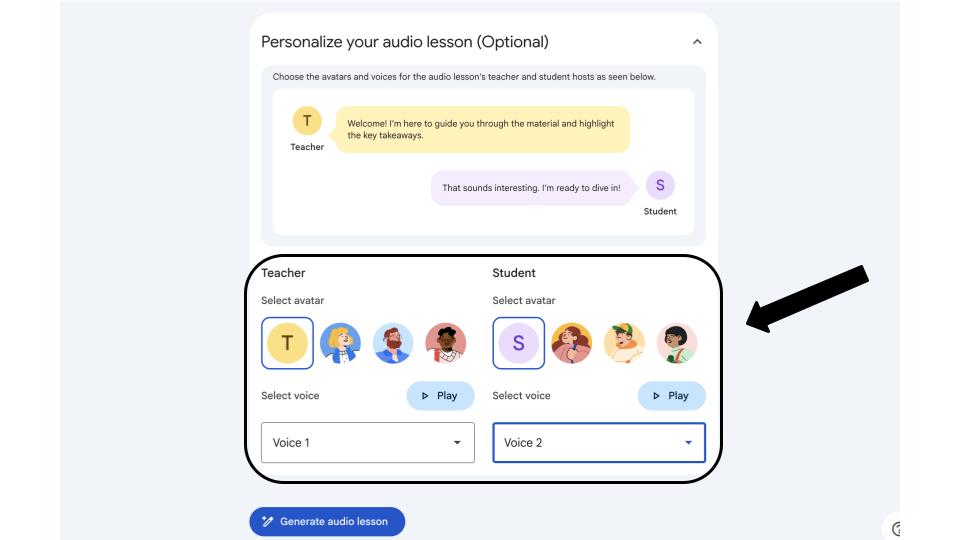
- Generate and edit suggested learning objectives, then personalize the experience with selected speaker voices and avatars.
- Listen to the text dialogue, save the audio directly to Google Drive, or convert it into a slide deck for class presentation.
Integrating audio into daily instruction is a powerful way to engage diverse learners and support differentiated learning. With Gemini built directly into Google Classroom, creating interactive audio experiences tailored to your curriculum is simple and quick.
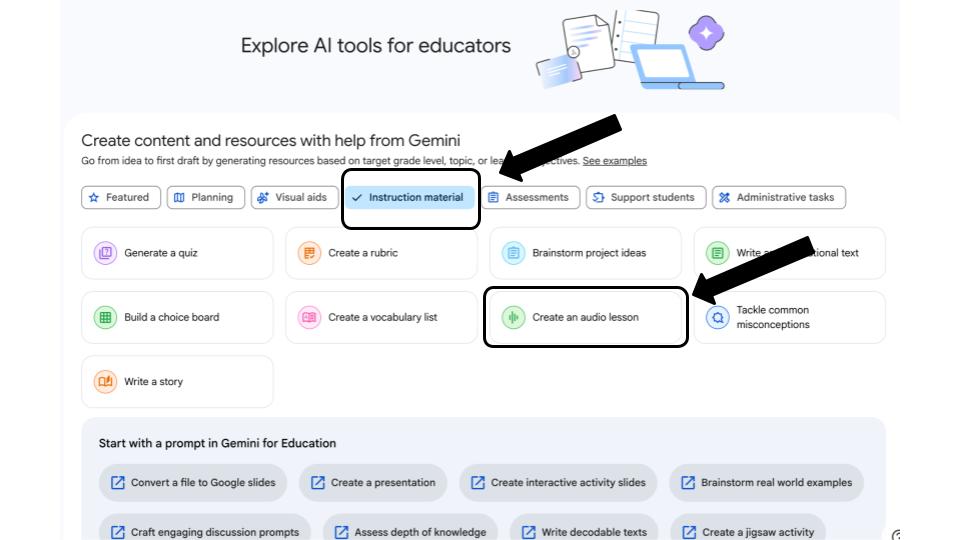
To get started, open your Google Classroom homepage and click the Gemini option located on the left toolbar. Next, choose instructional material to filter your options and select the feature to create an audio lesson. From there, enter your target grade level along with the specific topic or academic standard you want to cover.
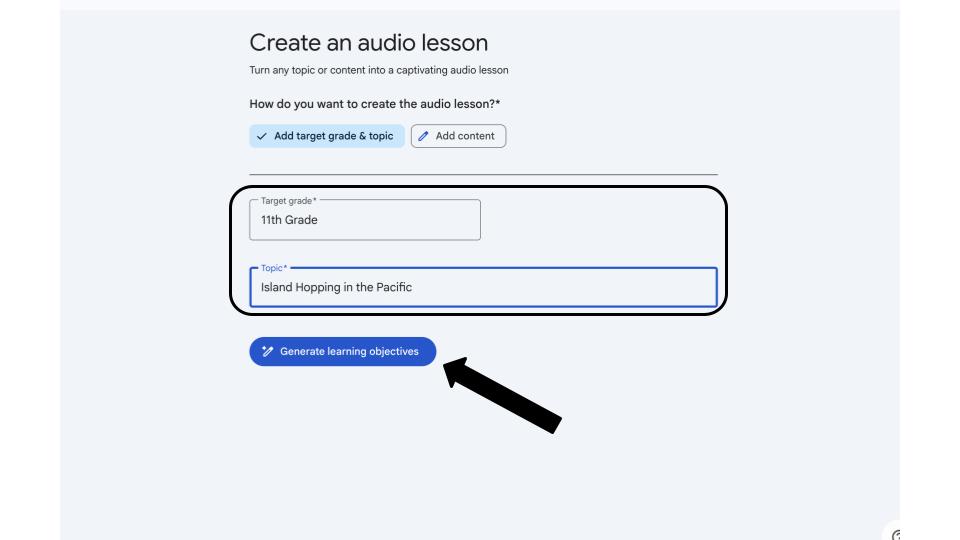
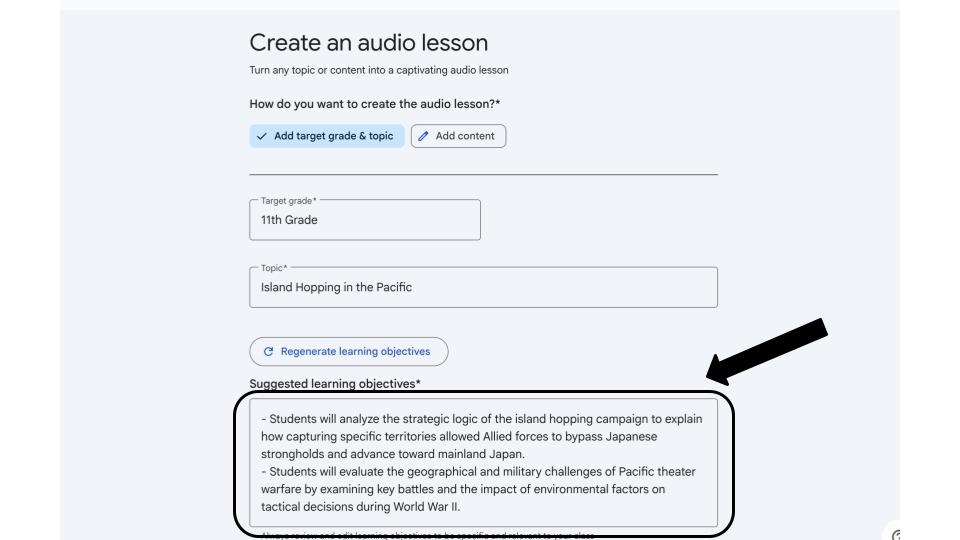
After entering your lesson details, click the button to generate learning objectives. Gemini provides suggested objectives to guide your content. Because these goals are fully editable, you can easily tweak them to fit your exact classroom goals.
You can also personalize the listening experience to make it engaging for students. Select custom voices and avatars for both the host and student speakers before generating the final audio.
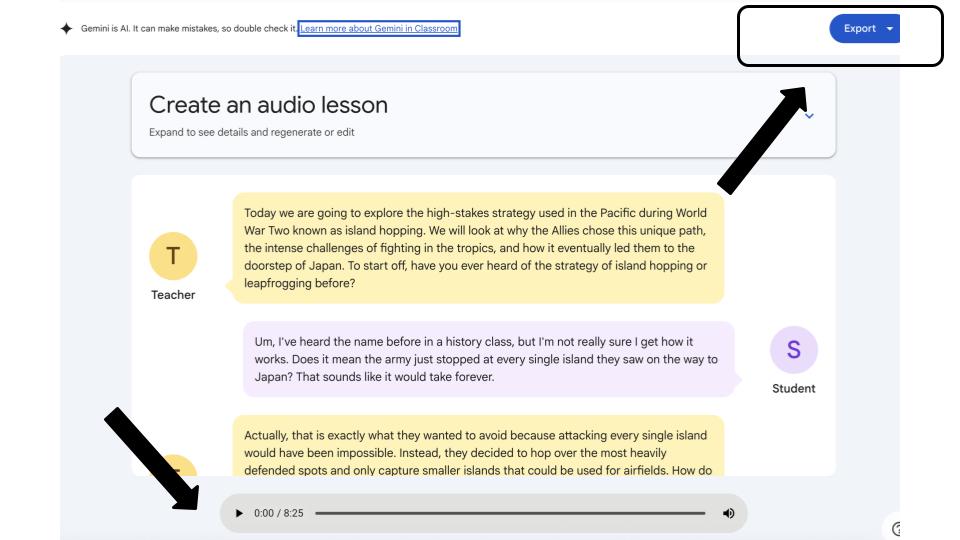
Once created, the completed lesson appears as a readable dialogue that you can listen to using the play button. When you are ready to share it with your students, the export option lets you save the audio file directly to Google Drive or automatically convert the conversation into a slide deck for whole-class presentation.
Whether you want to build listening stations, support auditory learners, or offer an interactive review before an assessment, this tool provides a practical and creative way to enrich your teaching.
Watch the full walkthrough video below.
This blog post was drafted with the help of Google Gemini to help organize and flesh out my thoughts and ideas regarding how to create an audio lesson with Gemini in Google Classroom. I also used Gemini Notebook to generate a brief audio overview, perfect for those who want to listen and learn on the go.
If you enjoy this blog, you’ll love our new book, History Matters in an AI Era. Available now on Amazon, this book shares practical, research-based strategies for integrating technology into history lessons. You’ll learn how to use technology to increase student engagement and curiosity. Click here to get your copy today.

Leave a Reply