
- Brisk turns Google Docs and Slides into instant, conversational podcasts.
- The tool supports multilingual learners through accessible, audio-based content.
- Teachers can create short, personalized episodes for anytime, anywhere learning.
Brisk Teaching just launched a game-changing feature: automated, conversational podcasts generated directly from your Google Slides or Docs. With just a few clicks, teachers can now transform written content into engaging audio episodes ranging from 1 to 10 minutes long. Whether it’s a lesson overview, a review of key concepts, or a creative recap, Brisk makes it easy to bring content to life with voice.
Getting started is simple. Open your Google Slides or Docs and click the Brisk Teaching floater button. In the menu that appears, choose the Podcast feature.
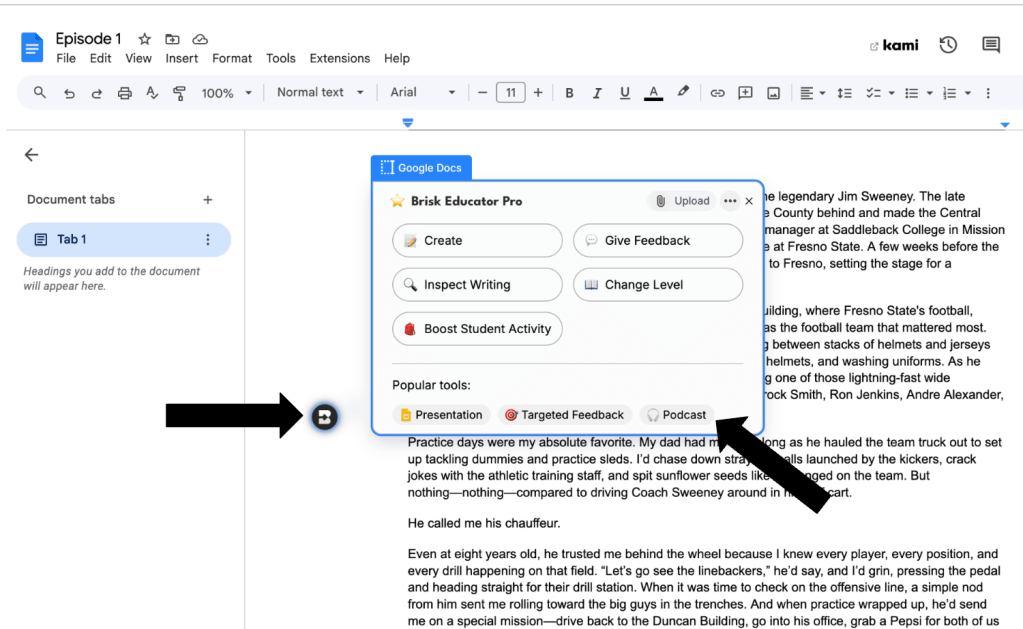
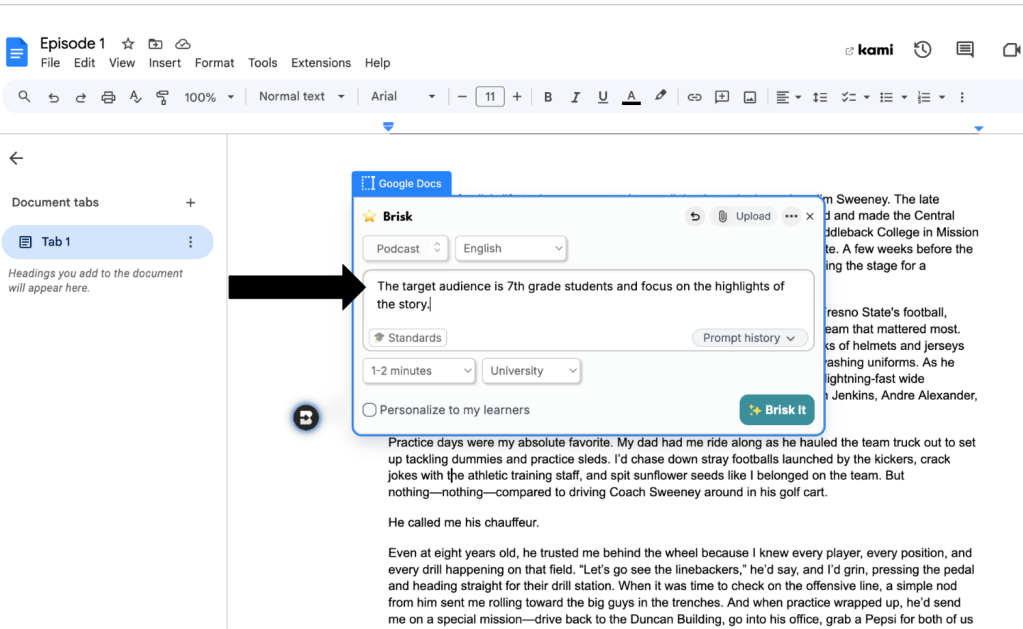
Then, type in a short prompt to guide the direction and tone of the conversation—whether you want a casual summary, an in-depth explanation, or a student-friendly review. Brisk will generate a podcast tailored to your content and your teaching goals.
This new tool is a powerful way to meet students where they are. Many learners—especially multilingual students and those with diverse learning needs—benefit from hearing information rather than just reading it. For multilingual learners in particular, engaging with listening tasks helps build the skills they’ll need for real-world communication and high-stakes assessments like the ELPAC, which includes a focus on listening comprehension. A podcast version of classroom materials supports language development, reinforces academic vocabulary, and adds a layer of accessibility that textbooks and slides alone can’t provide.
Teachers can use the podcast feature to create short audio summaries of a unit, preview upcoming topics, or even provide audio support for homework. Students can listen on the go, review while walking home, or catch up if they missed class. And because Brisk’s podcasts are based on your actual teaching materials, they’re personalized, accurate, and ready fast.
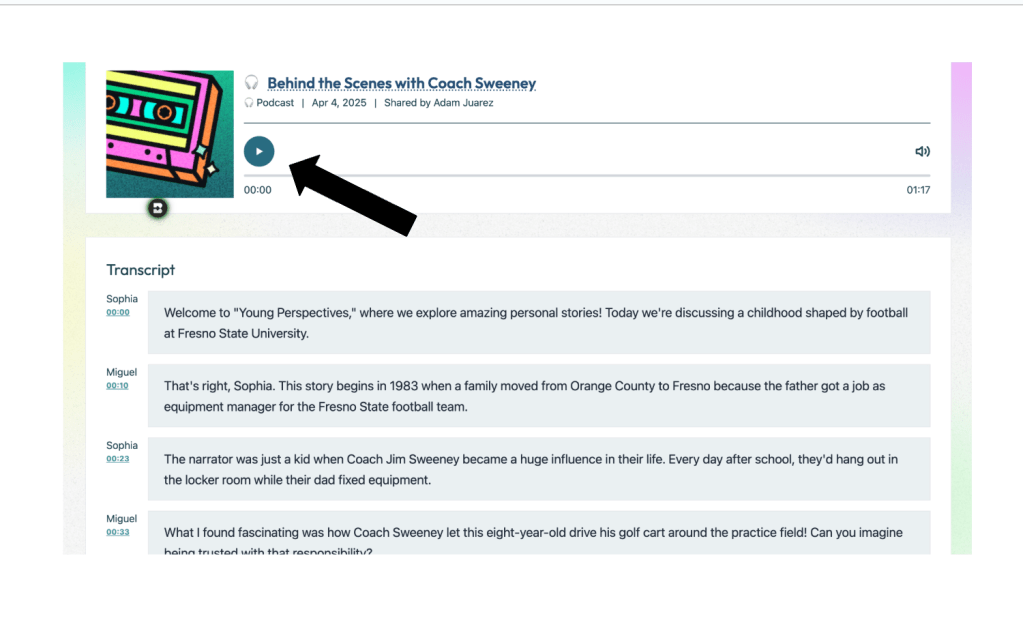
In a world where students are constantly interacting with audio—from TikTok to podcasts—Brisk’s tool helps make academic content just as engaging and easy to access. It’s not just a cool feature—it’s a smart step toward making learning more inclusive and dynamic.
This blog post was drafted with the help of ChatGPT to help organize and flesh out my ideas around Brisk Teaching’s latest update. I also used NotebookLM to generate a deep dive audio overview—perfect for those who want to listen and learn on the go.

Leave a comment