
- Over 50 languages now supported in NotebookLM
- Easily change your output language in settings
- Supports multilingual learning, accessibility, and equity
Have you ever wished you could use NotebookLM in a language other than English? If so, now you can! NotebookLM’s latest update brings support for over 50 languages across chat, notes, resources, and even audio overviews. This is a game-changer for teachers as you can now generate resources and audio summaries for students who need support in their native languages, helping everyone feel seen, heard, and empowered! Big thanks to Chrome Unboxed for reporting this exciting update and helping spread the word!
Getting Started is Easy!
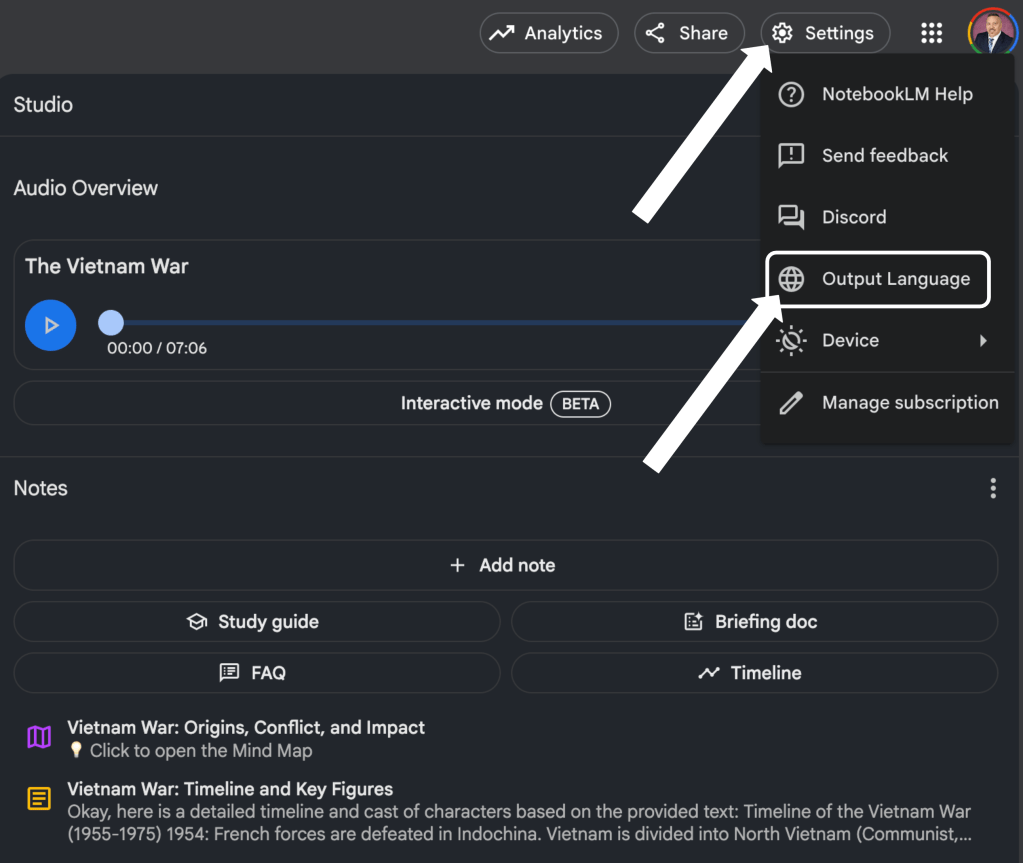
Ready to dive in? Start by clicking the Settings button in the top right corner of NotebookLM. In the dropdown menu, select Output Language. From there, click Default, then simply scroll down and pick the language you want. NotebookLM will instantly adapt, making your notes and chats more accessible in a particular language other than English.
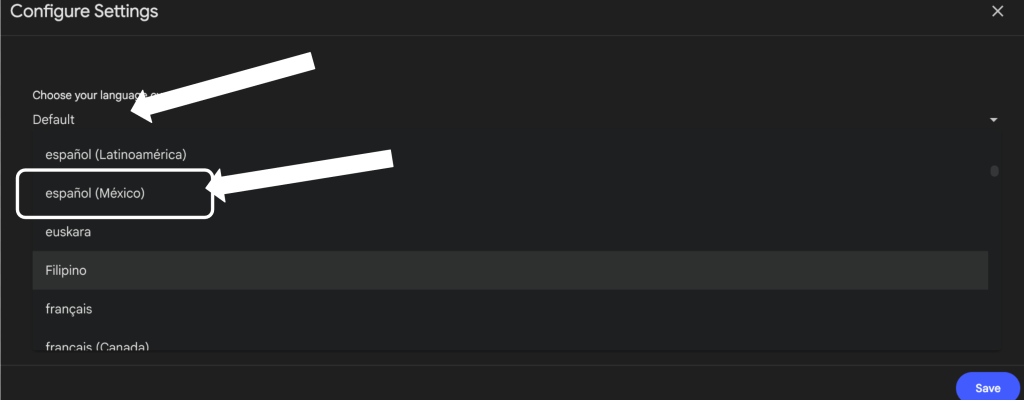
Click the play button below to listen to a sample audio overview generated in Spanish (Mexican dialect) about the Vietnam War.
Why This Matters for Students and Educators
Language accessibility empowers more students to learn, reflect, and grow in ways that feel authentic and meaningful. It helps breaks down barriers to access, boosts engagement, and fosters true student empowerment.
This blog post was drafted with the help of ChatGPT to help organize and flesh out my ideas regarding the new language supports in NotebookLM. I also used NotebookLM to generate a deep dive audio overview—perfect for those who want to listen and learn on the go.

Leave a comment